pyvista.read#
- read(filename, attrs=None, force_ext=None, file_format=None, progress_bar=False)[source]#
Read any file type supported by
vtkormeshio.Deprecated since version 0.35.0: Use of attrs is deprecated. Use a reader class using
pyvista.get_reader()Automatically determines the correct reader to use then wraps the corresponding mesh as a pyvista object. Attempts native
vtkreaders first then tries to usemeshio.See
pyvista.get_reader()for list of formats supported.Note
See nschloe/meshio for formats supported by
meshio. Be sure to installmeshiowithpip install meshioif you wish to use it.- Parameters:
- filename
str The string path to the file to read. If a list of files is given, a
pyvista.MultiBlockdataset is returned with each file being a separate block in the dataset.- attrs
dict,optional Deprecated. Use a Reader class using
pyvista.get_reader(). A dictionary of attributes to call on the reader. Keys of dictionary are the attribute/method names and values are the arguments passed to those calls. If you do not have any attributes to call, passNoneas the value.- force_ext
str,optional If specified, the reader will be chosen by an extension which is different to its actual extension. For example,
'.vts','.vtu'.- file_format
str,optional Format of file to read with meshio.
- progress_barbool, default:
False Optionally show a progress bar. Ignored when using
meshio.
- filename
- Returns:
pyvista.DataSetWrapped PyVista dataset.
Examples
Load an example mesh.
>>> import pyvista
>>> from pyvista import examples
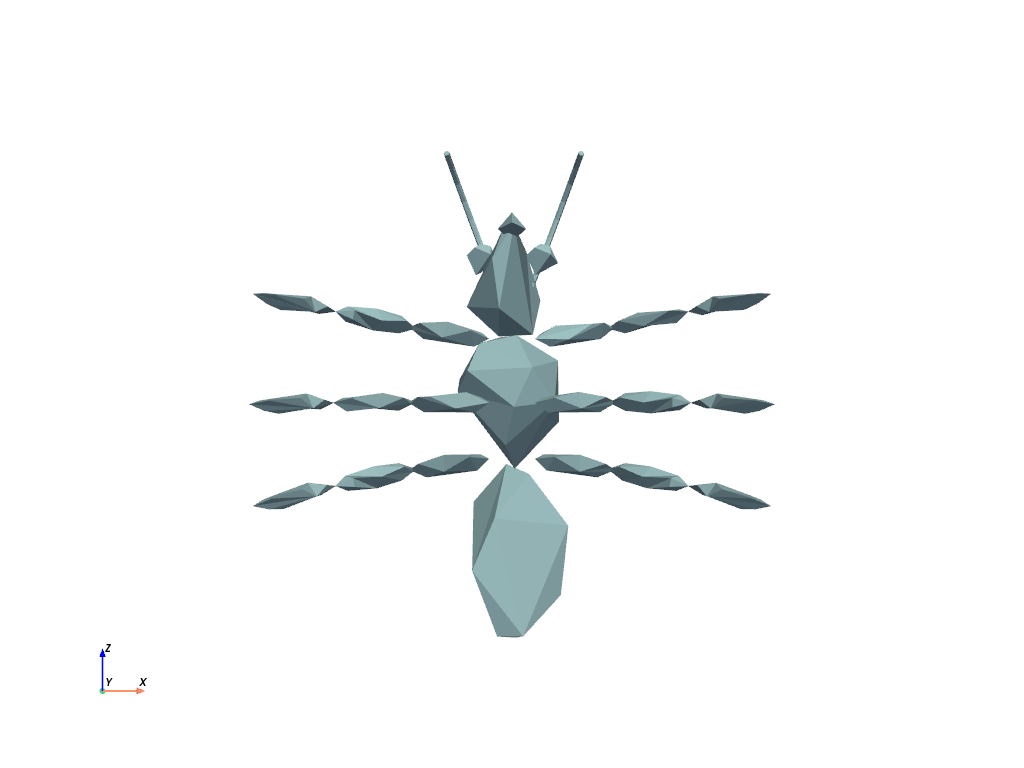
>>> mesh = pyvista.read(examples.antfile)
>>> mesh.plot(cpos='xz')
Load a vtk file.
>>> mesh = pyvista.read('my_mesh.vtk')
Load a meshio file.
>>> mesh = pyvista.read("mesh.obj")