pyvista.DataSet.rotate_vector#
- DataSet.rotate_vector(vector: Iterable[float], angle: float, point=(0.0, 0.0, 0.0), transform_all_input_vectors=False, inplace=False)[source]#
Rotate mesh about a vector.
Note
See also the notes at
transform()which is used by this filter under the hood.- Parameters:
- vectorsequence[
float] Axis to rotate about.
- angle
float Angle in degrees to rotate about the vector.
- pointsequence[
float], default: (0.0, 0.0, 0.0) Point to rotate about. Defaults to origin.
- transform_all_input_vectorsbool, default:
False When
True, all input vectors are transformed. Otherwise, only the points, normals and active vectors are transformed.- inplacebool, default:
False Updates mesh in-place.
- vectorsequence[
- Returns:
pyvista.DataSetRotated dataset.
Examples
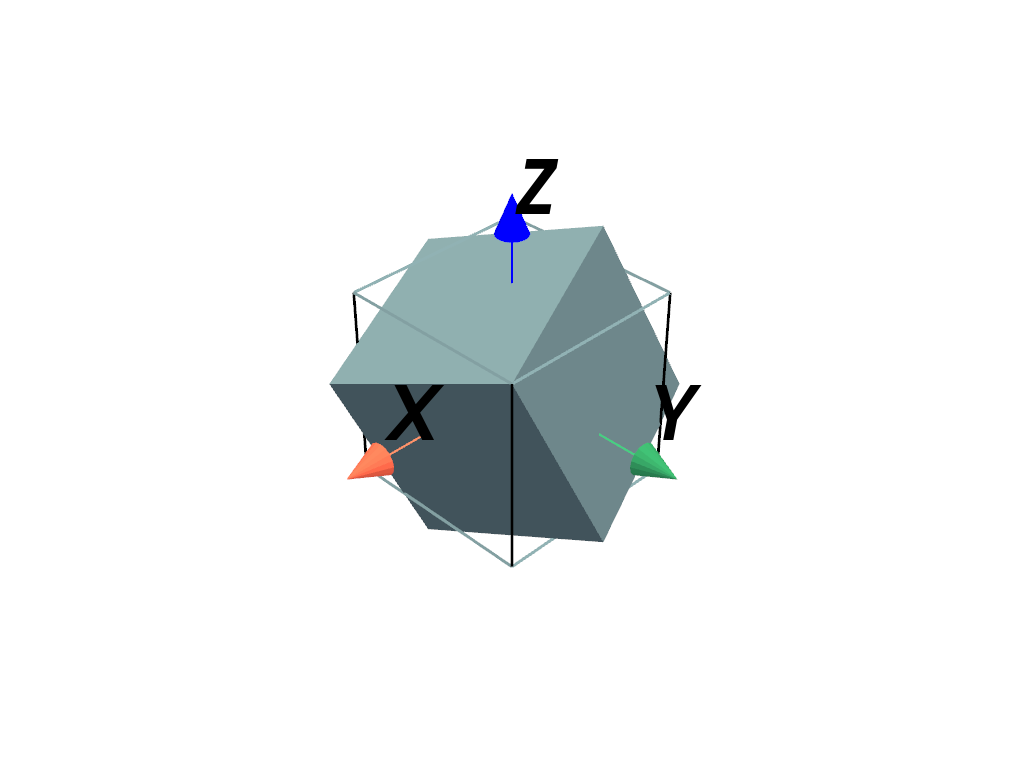
Rotate a mesh 30 degrees about the
(1, 1, 1)axis.>>> import pyvista >>> mesh = pyvista.Cube() >>> rot = mesh.rotate_vector((1, 1, 1), 30, inplace=False)
Plot the rotated mesh.
>>> pl = pyvista.Plotter()
>>> _ = pl.add_mesh(rot)
>>> _ = pl.add_mesh(mesh, style='wireframe', line_width=3)
>>> _ = pl.add_axes_at_origin()
>>> pl.show()